AutoCAD Interpolation plugin
2 July 2024
Contents
It's been a long time since the last time I wrote on my blog, but now the desire has come, and an interesting topic has appeared that will be useful for many AutoCAD users.
During my studying at TalTech, I was given the task of performing interpolation for a certain number of points with their location coordinates. Of course, it was possible to do without using my programming knowledge, but I would not be myself if I had not written the code to perform this task, and there were plenty of points.
Way of writing. Nothing is done just like that
I’ll start from the very beginning: before the task described above appeared in front of me, I knew how to write in Python (the same Python lessons offered in TalTech shocked me with their stupidity, but more on that later) and javascript; In fact, I spent most of my time teaching children under 16 how to write websites, concentrating on the frontend.
Since my video card recently burned out, I was experiencing errors when installing AutoCAD, I went to the TalTech library in search of the possibility of using AutoCAD on the computers in the library. I found the computer, of course; but at the beginning there was still no access to AutoCAD, but the university support worked perfectly, promptly responding and suggesting what to do, and added AutoCAD to the allowed programs.
While preparing for the annual CADrina design software competition, I became incredibly interested in all the capabilities of AutoCAD. After winning, I gained confidence that speed and accuracy are directly related to the program and the knowledge of the user.

Special thanks to the team and my teacher for their efforts for our victory!
After the competition, I was faced with that same unbearably tedious task, and with confidence in my superiority and strength, I decided to make my life easier by writing a simple program. The idea was simple: the program would have to divide the segments between two points, taking into account the heights of these points.
Since I had limited time, I rushed to the library, and after 3 days I had a working program that did the necessary work at lightning speed. In total, I spent 23 hours understanding LISP, AutoLISP, and other concepts that were new to me.
Now I can share, for example, the interpolation function, which is not without flaws, but was in the original version.
As you understand, this is not the end of the story, I decided to finalize my little program and pass it on to others. Therefore, yesterday, July 1, I decided to rewrite it to a clean version, adding settings and optimizing the algorithm.
In comparison, 39 lines of readable, optimized code could do the same thing as 80 lines of cluttered code.
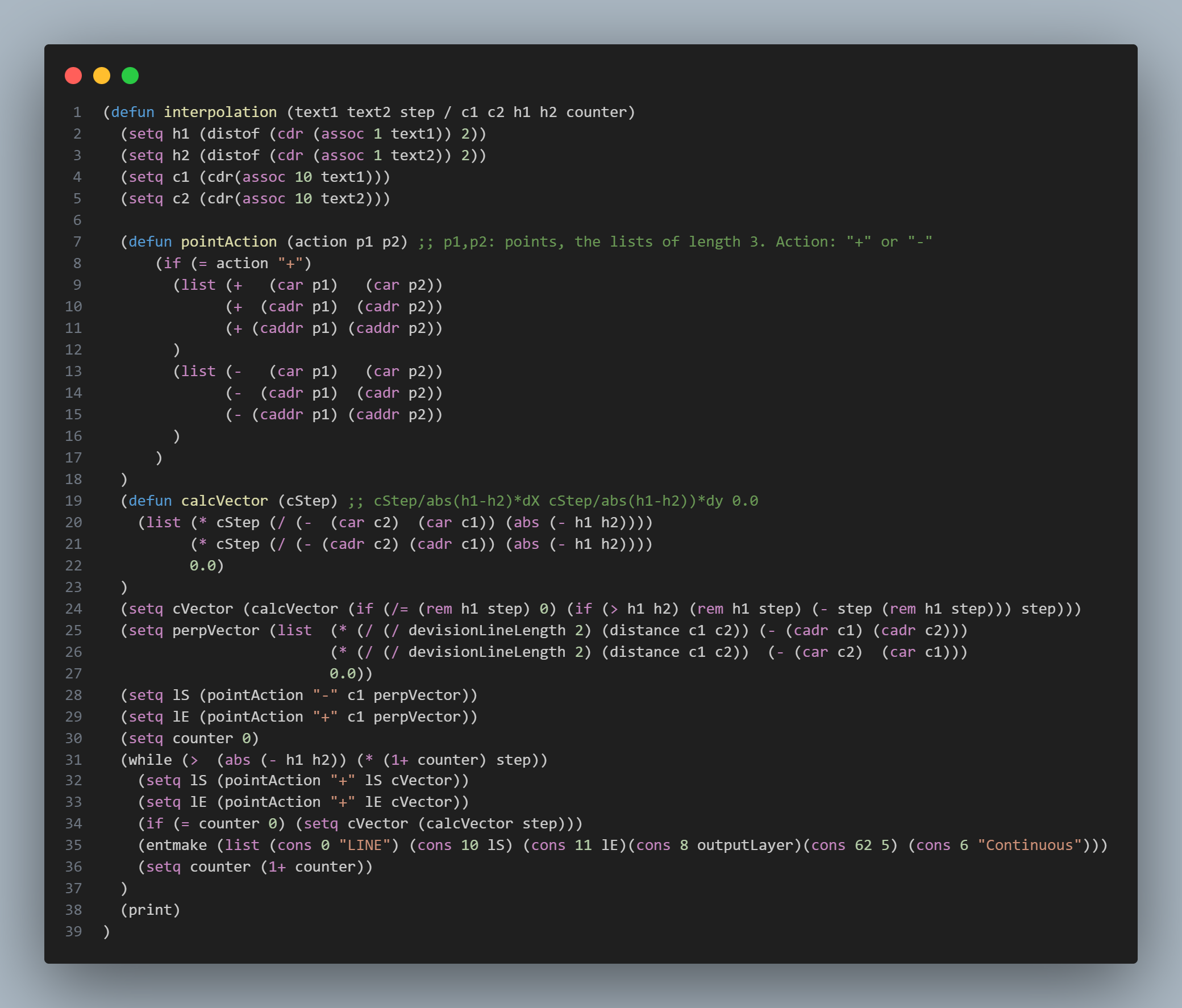
Now I consider my work finished.
Plugin usage
To begin with, this plugin is a .fas file in which additional commands for interpolation are created.
This plugin adds only 4 commands to AutoCAD:
- INTERPOLATE
- DINTERPOLATE
- CHANGEHEIGHT
- INTERPOLATIONSETUP
You can download the plugin from this link:
Appload the plugin
The plugin can be loaded into any project in AutoCAD using the APPLOAD command, while selecting the required file. After closing the project, you will need to download this plugin again.
Note: AutoCAD has the ability to automatically load this file when you open a new project. You can read about it here.
Adding shortcuts for commands
In order to add abbreviations for commands, you need:
Windows:
- Click Manage tab -> Customization panel -> Edit Aliases.
- In a text editor, scroll down and add these command abbreviations to the User Defined Command Aliases section:
INTR, *INTERPOLATE
DINTR, *DINTERPOLATE
CHH, *CHANGEHEIGHT
INTRS, *INTERPOLATIONSETUP
- Save the changes to the PGP file and call the reinit command.
- In the Reinitialize dialog box, select PGP File. Click OK.
Source: https://help.autodesk.com/
Commands functionality
INTERPOLATE.
To perform interpolation by points, you need:
- Create text with the height of a given point
- Connect the pair of points that you want to interpolate with a line.
- Call the INTERPOLATE function and select the required step (0.25, 0.5 or an integer).
The function will create the necessary divisions.
DINTERPOLATE.
This function removes all lines on the OutputLayer layer.
CHANGEHEIGHT.
Changes the height text values from the InputHeightsLayer to a specific value.
INTERPOLATIONSETUP.
Allows you to configure:
- OutputLayer - a layer that is intended for creating division lines on it. All lines are removed from this layer.
- InputLinesLayer - the layer from which the lines for interpolation are taken.
- InputHeightsLayer - the layer from which height texts are taken for interpolation and height changes.
- HeightTextType - type of text (object in AutoCAD). Two options are supported: MTEXT or TEXT.
- DivisionLineLength - length of division lines
Default:
- OutputLayer - Interpolation layer
- InputLinesLayer - 0
- InputHeightsLayer - 0
- HeightTextType - MTEXT
- DivisionLineLength - 5